SSD vs HDD: Differences, Types and Which to Buy
What SSD and HDD mean, how each one works, the real differences in speed, life and cost, and which drive suits a laptop, gaming PC, PS5, CCTV recorder or server.
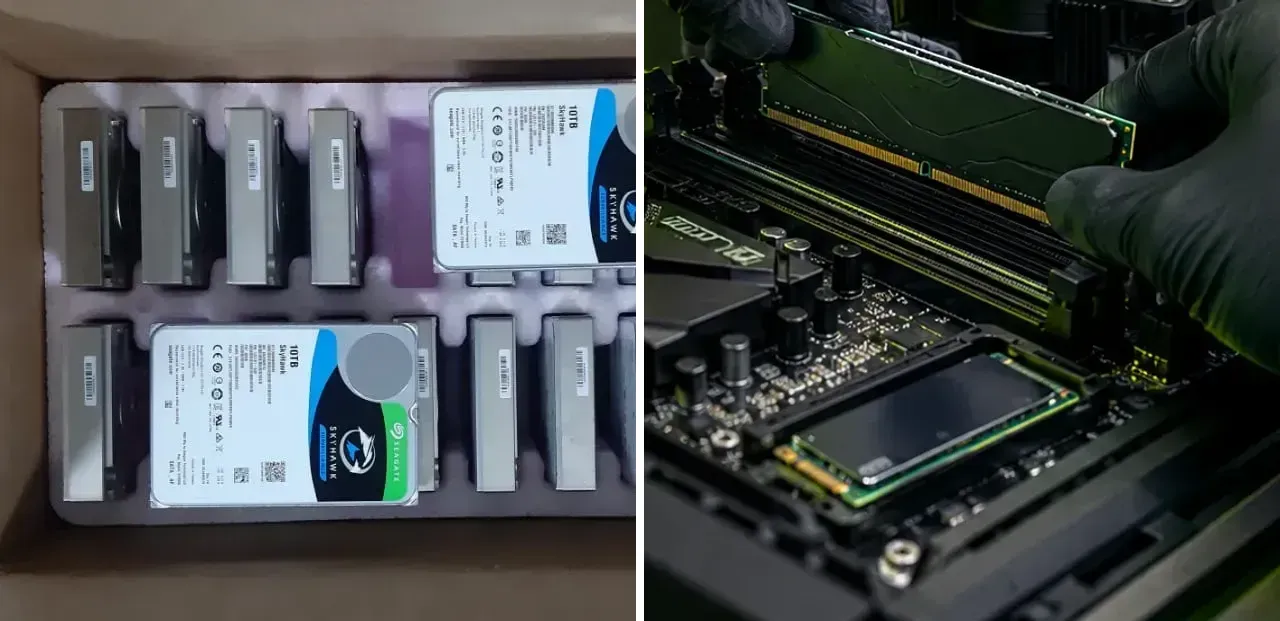
What SSD and HDD actually mean
SSD is short for Solid State Drive. It stores data on flash memory chips (NAND), like a very large, very fast USB stick, with no moving parts.
HDD is short for Hard Disk Drive, the classic hard disk or hard drive. Data sits on spinning metal platters, read by a tiny head on a moving arm. Desktop drives spin at 5,400 or 7,200 rpm; some server drives spin at 10,000 or 15,000 rpm.
In the UAE, people often call any storage drive a "hard" (هارد), so an "SSD hard disk" or "SSD hard drive" simply means an SSD.
SSD vs HDD: the differences
| SSD | HDD | |
|---|---|---|
| Speed | SATA about 550 MB/s; NVMe about 3,500 to 14,000 MB/s | About 100 to 280 MB/s |
| Start-up and loading | Windows starts in seconds; apps open instantly | Noticeably slower, especially when old |
| Moving parts | None | Spinning platters and a moving head |
| Knocks and drops | Handles them well | Can be damaged by a knock while running |
| Noise, heat and power | Silent, cool, low power | Audible, warmer, uses more power |
| Capacity | Commonly 256GB to 4TB, up to 8TB | Commonly 1TB to 24TB, enterprise 30TB and more |
| Cost per TB | Higher | Much lower |
| Lifespan | Rated in terabytes written; rarely worn out in normal use | Mechanical wear; typically three to five years or more |
| Best for | Windows, apps, games, laptops | Bulk storage, backups, CCTV, NAS |
Gaming? An SSD loads games and levels far faster than an HDD, but it does not raise your frame rate; that comes from the graphics card.
How many types of hard drive are there?
- 3.5-inch desktop drives: internal SATA drives for PCs and storage.
- 2.5-inch laptop drives: thinner drives for laptops and the PS4.
- External and portable drives: a hard disk inside a USB case; wireless and Wi-Fi versions add their own network connection.
- Surveillance drives (WD Purple, Seagate SkyHawk, Toshiba S300): built to record CCTV video around the clock.
- NAS drives (WD Red, Seagate IronWolf): made for always-on RAID storage at home or in the office.
- Enterprise SATA and SAS drives (Seagate Exos, WD Ultrastar): for servers and storage arrays.
- Hybrid drives (SSHD): a hard disk with a small flash cache; Apple's Fusion Drive was a similar idea.
- IDE (PATA) drives: the older wide-cable connection found only in very old PCs.
See which of these we stock on our hard disk supplier page.
The types of SSD, and where each fits
| Type | Connection and size | Top speed | Used in |
|---|---|---|---|
| 2.5-inch SATA | SATA cable, laptop-drive size | About 550 MB/s | Older laptops and PCs, PS4 |
| mSATA | Small card in an mSATA slot | About 550 MB/s | Older laptops and mini PCs |
| M.2 SATA | M.2 slot (B+M key) | About 550 MB/s | Some laptops and mini PCs |
| M.2 NVMe PCIe Gen 3 | M.2 slot (M key) | About 3,500 MB/s | Laptops and office PCs |
| M.2 NVMe PCIe Gen 4 | M.2 slot (M key) | About 7,000 to 7,450 MB/s | Gaming PCs, PS5 |
| M.2 NVMe PCIe Gen 5 | M.2 slot (M key), often with a large heatsink | Up to about 14,000 MB/s | High-end PCs and workstations |
| U.2, SAS and enterprise | Server drive bays | Varies | Servers and data centres |
| External / portable | USB-C or Thunderbolt | About 1,000 to 2,000 MB/s over USB | Backups, video, moving files |
NVMe vs SATA: both can come in the M.2 shape, so "M.2" alone does not tell you the speed. Check the laptop or motherboard manual for NVMe support before you buy.
SAS vs SATA: SAS drives are for servers and need a SAS controller. A SATA drive works in most SAS bays, but a SAS drive will not work on a normal SATA port.
Flash type: TLC SSDs are the all-round choice; QLC SSDs are cheaper per TB but slow down on long writes and wear sooner. Drives with a DRAM cache keep their speed better under heavy use.
GB, TB and how much fits
1TB (terabyte) is 1,000GB (gigabytes), and 1 petabyte is 1,000TB, a size used only in data centres. Windows counts in binary units, so a new 1TB drive shows as about 931GB and a 2TB drive as about 1.8TB. Nothing is missing.
- 256GB to 512GB: Windows, Office and everyday files, with the rest in the cloud.
- 1TB: roughly 250,000 phone photos, or 200 hours of Full HD video, or a handful of large games.
- 2TB to 4TB: gaming libraries, video projects, family photo archives.
- 4TB to 20TB and more: CCTV recording, NAS storage and company backups, where hard disks win on cost.
SSD or HDD: which for each device?
| Use | Choose | Why |
|---|---|---|
| Laptop | SSD | Speed, battery life and no moving parts to damage |
| Office PC | SSD for Windows, plus a hard disk or bigger SSD for files | Fast start-up, cheap bulk space |
| Gaming PC | NVMe Gen 4 SSD, 1TB to 2TB | Fast loading; big games need the space |
| PS5 | M.2 NVMe Gen 4 SSD with a heatsink | The console needs 5,500 MB/s class drives |
| PS4 or Xbox One | 2.5-inch SATA SSD inside, or a USB external drive | Shorter loading times |
| CCTV recorder | Surveillance hard disk | Records all day at the lowest cost per TB |
| NAS or office backup | NAS hard disks, with optional SSD cache | Lots of space, made for RAID |
| Server | Enterprise SSDs for systems and databases, hard disks for bulk | Speed where it counts, capacity where it is cheap |
| Video editing | NVMe SSD for working files, hard disk for the archive | Smooth editing, affordable storage |
Ready to buy? See SSDs in Dubai or our hard disk supplier page. Worried an existing drive is failing? Here is how to check hard drive health.
SSD vs HDD questions, answered
What is the full form of SSD?
SSD stands for Solid State Drive. HDD stands for Hard Disk Drive, which is what most people mean by a hard disk or hard drive.
What is SSD called in Arabic?
In Arabic, an SSD is usually called قرص الحالة الصلبة (solid-state disk), and in shops simply هارد SSD. A traditional hard disk is القرص الصلب or هارد HDD. People searching الفرق بين ssd و hdd want the comparison in the table above.
Is an SSD better than an HDD?
For the drive your computer starts from, yes: an SSD is many times faster, silent and tougher. An HDD is still better value for large amounts of storage, backups, NAS boxes and CCTV recorders.
Is an SSD better for gaming?
Yes. Games and levels load much faster from an SSD, and the PS5 and many new PC games need one. Frame rates (FPS) depend mostly on the graphics card, not the drive.
Can I use an SSD and an HDD together?
Yes, and many desktop PCs do: Windows and apps on the SSD for speed, and photos, videos and backups on a larger hard disk.
What is the difference between M.2 and NVMe?
M.2 is the size and slot shape. NVMe is the fast way the drive talks to the computer over PCIe. An M.2 drive can be NVMe or SATA, so check which one your slot supports.
Does an SSD last longer than an HDD?
Usually, in normal use. SSDs have no moving parts and are rated for hundreds of terabytes written, while hard disks wear mechanically. Both should be backed up, because any drive can fail.
Why does my 1TB drive show only 931GB?
Drive makers count 1TB as 1,000 billion bytes, while Windows counts in binary units, so the same space shows as about 931GB. Nothing is missing.
Can I use an SSD in a CCTV recorder?
It is not recommended. Recorders write video all day, which wears ordinary SSDs and costs far more per TB. Use a surveillance hard disk such as WD Purple or Seagate SkyHawk.
Related pages
Apex GenZ on Google Maps
Rated 4.8 out of 5 on Google. Read our customers' reviews on our verified Google Business Profile, and leave one after your order.
Not sure which drive you need?
Send us your laptop, PC, console or recorder model. We will recommend the right SSD or hard disk and supply it, one drive or a bulk order.